Portfolio v4: Laravel and Filament Rebuild with Admin, Invoicing and MCP
My portfolio rebuilt in a few days as a Laravel 13 and Filament 5 app, with invoicing and a safe MCP server, built with Claude Code under strict rules I set.
- Client
- Personal project
- Sector
- Portfolio and business tools
- Role
- Product owner, architecture, design direction, review and release; AI-assisted development with Claude Code
- Timeline
- 2026
The problem
Why I rebuilt it
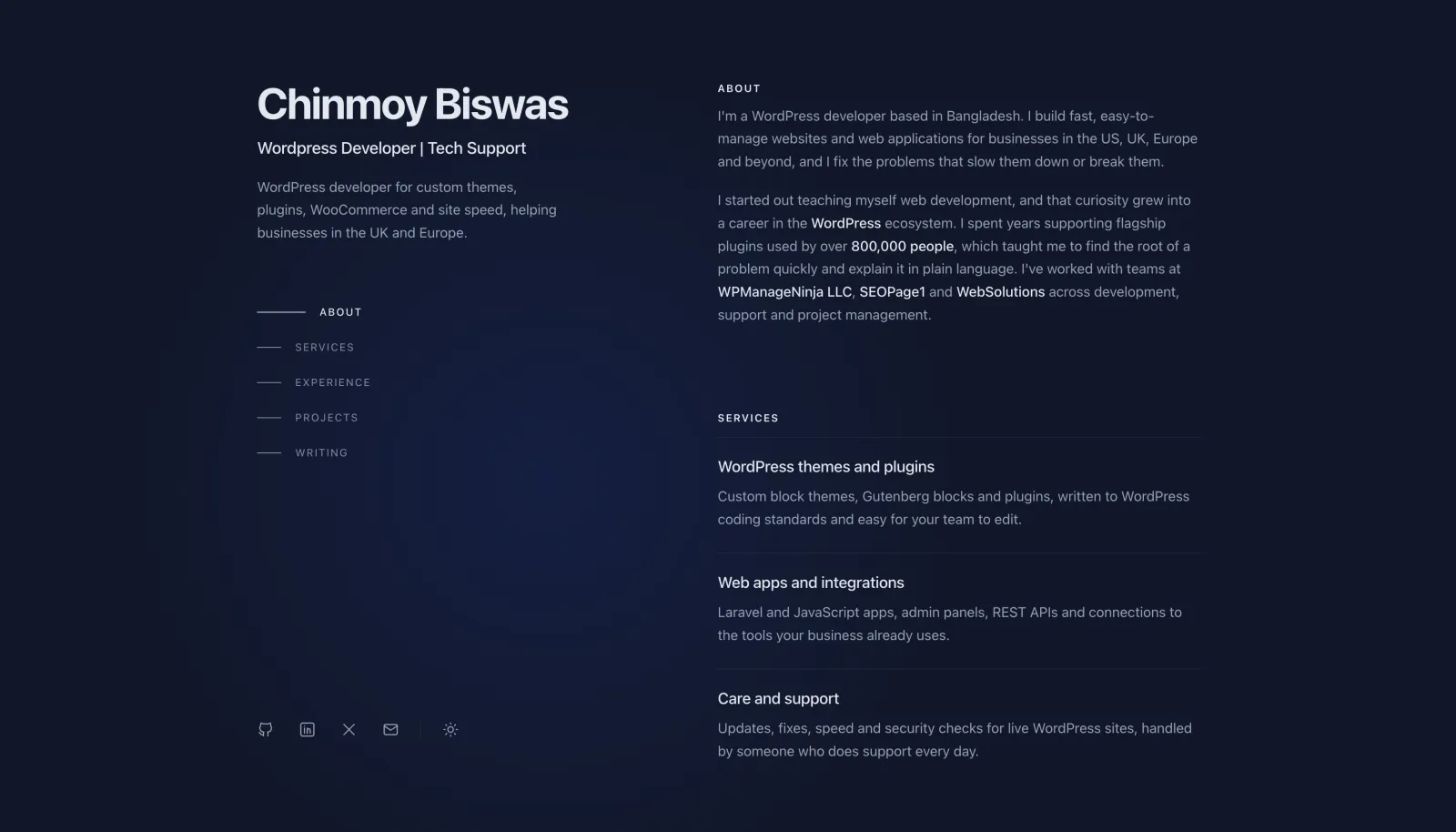
For a year my portfolio ran on CB Portfolio, a WordPress plugin I wrote with a Vue.js front end. It looked the way I wanted, but it had three problems I couldn't fix from inside it.
Google couldn't see it. The content was drawn by JavaScript, and Search Console showed one indexed page: the home page. Searching my own name didn't find my site.
My business lived in too many places. Projects and posts were in WordPress, while invoices and client details were in separate files and tools.
I wanted AI help, but not near the money. I wanted Claude to draft case studies and posts directly in my site, but never to touch payment details, security settings or anything it could break.
The constraints
The new site had to run on the same cheap shared hosting, Hostinger Premium, which rules out most of what a modern stack assumes:
- No Node.js at runtime, so assets are built elsewhere and uploaded
- No long-running workers, so queues and scheduled jobs run from a once-a-minute cron
- Disabled PHP functions such as
exec,shell_execandsymlink, which rule out headless-Chrome PDF tools and some deploy tricks - One shared account, where a mistake on the server could affect other sites
And the repository is public, so no server name, client, invoice or secret could ever appear in it.
How I worked: me as the lead, Claude Code as the developer
I built this with Claude Code, Anthropic's coding agent, and I want to be open about that, because the way it was used is the interesting part.
I acted as product owner, architect and reviewer. Claude Code wrote much of the code, inside rules I wrote down before the first line:
- Decisions first. Every architectural choice (stack, hosting layout, CI/CD, PDFs, media, queues, auth, CDN, MCP) went into a short Architecture Decision Record that I approved.
- Design before UI code. Every screen was designed in a canvas and approved before any interface was built.
- Small slices, each one stopping for me. Each feature was planned, built with tests and shown to me, then stopped until I said yes.
- Tests are not optional. Money maths was written test-first. No slice merged without the full suite, the code style check and static analysis passing.
- Nothing reaches the server without me. Every SSH command, every hosting change and every deploy needed my explicit approval.
That is how the whole project, from planning to a live site, fit into a few days in November 2026 without cutting corners.
Approach
The stack
Laravel 13 with Filament 5 for the admin, Blade, Tailwind CSS v4 and Alpine.js for the public site, MariaDB in production and SQLite locally. The public pages are rendered on the server, which was the whole point after CB Portfolio: every project and post is a real HTML page with its own URL.
Hard part 1: shared hosting
The deploy pipeline is where the constraints bite.
- GitHub Actions does the heavy lifting. It runs the checks, installs Composer packages without dev tools, builds the CSS and JavaScript, and packs a release from an explicit list of what ships. Tests, docs and tooling never reach the server.
- Releases, not overwrites. Each deploy uploads into its own release folder, runs migrations, warms the caches, switches the live pointer, and calls the
/uphealth check. If the check fails, it rolls back automatically. - A preflight that fails fast. I keep SSH switched off on the host except when deploying. The workflow checks SSH first and stops within seconds with a clear message if it's off.
- One approval. Merging a pull request into
mainstarts the deploy, which waits for my approval in GitHub before touching production. - No workers needed. Email sending and scheduled jobs, such as marking invoices overdue, run from Laravel's scheduler on the host's cron.
Hard part 2: invoicing that adds up
Invoices are where a bug costs real money, so this part was the most careful:
- Money is stored as integer minor units with a currency code, never as floats. GBP, EUR, USD and BDT are supported.
- The maths was written test-first, then mutation-tested: a tool deliberately breaks the code in small ways to check the tests notice. The score is 96.4%.
- Tax follows the rules I actually need: one optional VAT rate on the total after discount, and a reverse-charge note printed automatically for a UK or EU business client with a tax ID.
- PDFs with DomPDF, which is pure PHP, so it works without
exec. Every generated PDF is kept as a numbered version and never overwritten. - Emailed invoices carry a signed link that serves only that one PDF version and expires after 30 days. Cancelled invoices answer "410 Gone".
- Numbering stays gap-free: drafts have no number, and issued invoices are cancelled, never deleted.
Hard part 3: letting Claude edit content safely
The site runs an MCP server, so Claude can read and edit my content from a chat. It is also the feature that could do the most damage, so I wrote a threat model before any code.
- OAuth 2.1 with PKCE. Approving a new app happens on a consent screen behind my admin login and two-factor authentication. I tick the exact permissions each app gets.
- Narrow scopes, such as
content:write,seo:writeandinvoices:draft, checked on every call. - What it can never do: see payment or bank details, change security settings, issue, mark paid or email invoices, or delete anything permanently. Deletes go to a trash.
- Images are re-encoded on upload to strip metadata and hidden payloads, and URLs are never fetched.
- Every call is logged with a before-and-after summary, and a kill switch turns it all off.
I'm writing this case study through that server. Claude drafts it, I review it in the admin, and nothing is published until I say so.
Hard part 4: design fidelity and accessibility
The public site keeps the two-column layout from CB Portfolio, refined: a calm navy theme with one teal accent, the system font stack with no web fonts, a light mode, and a mouse spotlight that turns off on touch devices and for reduced motion.
Every screen was compared with its approved design, and the admin went through several rounds to make it compact and consistent. Accessibility was tested, not assumed: axe checks on every public page in light and dark mode, all 23 admin screens and the login, plus keyboard checks for skip links and focus rings.
Moving the content across
The old plugin's JSON export became the import file. Experience, projects and profile came across in one step, and the new site went live on 23 November 2026.
Results
- Lighthouse (mobile)
- 100
- Automated tests
- 385
- Invoice maths mutation score
- 96.4%
- Pages in sitemap
- 27
- Lighthouse 100 on every public page in pre-launch testing, mobile and desktop, with LCP 0.9 to 1.4 seconds on mobile and no layout shift
- Accessibility 100, with axe checks passing on every public page and all 23 admin screens
- 385 automated tests, 90% line coverage and a 96.4% mutation score on the invoice maths
- A whole-app security review before launch, with four medium findings fixed and none high
- Portfolio, blog, case studies and invoicing in one admin, and Claude can draft content without any access to payments or security
- Tested, health-checked releases with automatic rollback, on cheap shared hosting
What happened with Google
The day after launch, Search Console still showed the old picture: one indexed page, and an old sitemap from the WordPress years that listed none. I removed the old sitemap and submitted the new one, and Google read it the same day: 27 pages discovered, where before it knew one. Indexing takes time, so I'll update this section with real numbers once the pages are in.
What I learned
- AI makes rules more important, not less. Claude Code is fast, and speed without guard rails is how mistakes reach production. Written decisions, approved designs, test-first money maths and a human approval before every deploy are what made the speed safe.
- Constraints are design inputs. No Node, no workers and disabled functions shaped every choice, from PDFs to deploys, and the result is simpler for it.
- Server rendering is the SEO feature. Titles and meta tags matter, but nothing matters more than giving Google real HTML pages to read.